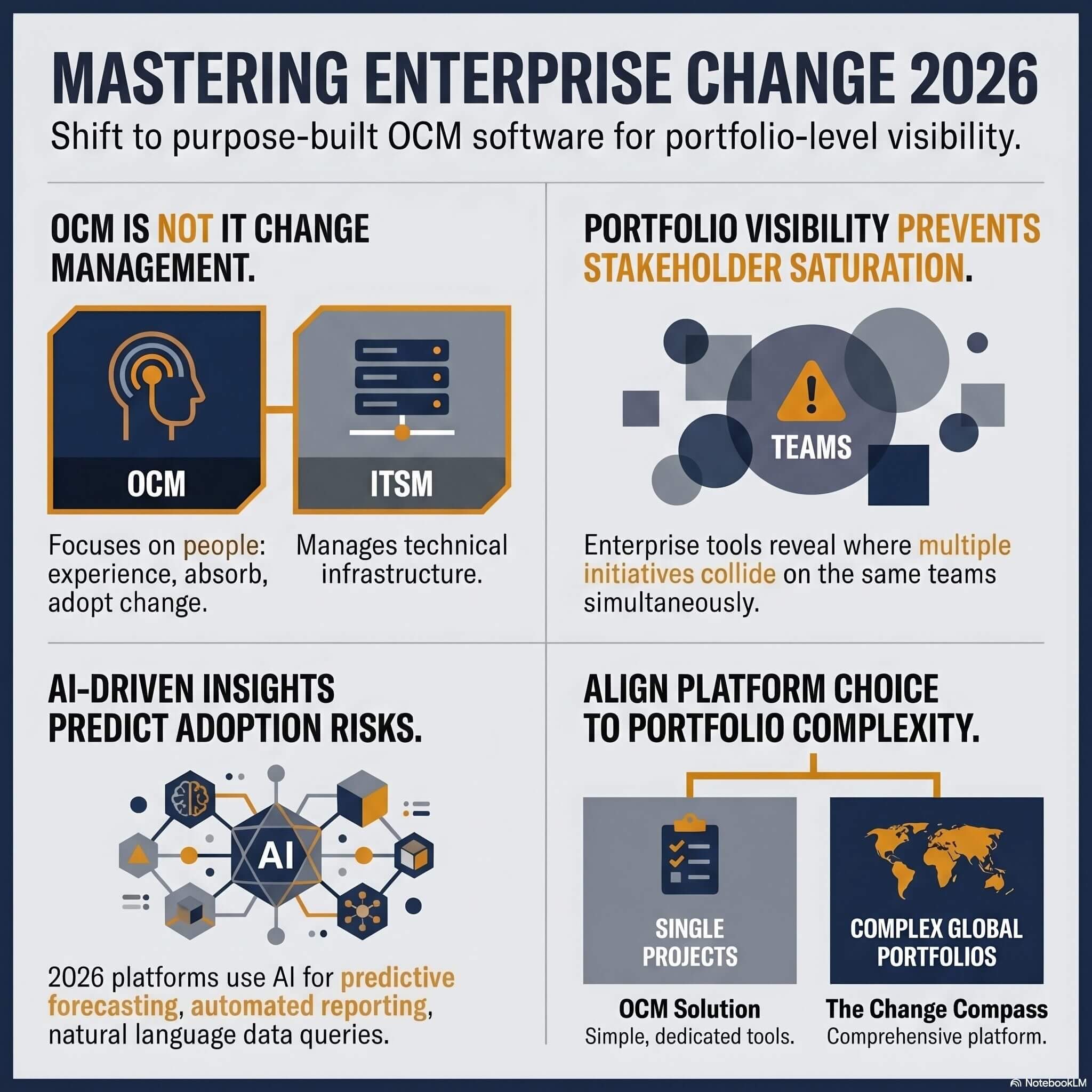


Organisational change management (OCM) software is the category of platforms that record who is affected by change, how heavily, and whether they are adopting it, and for an enterprise the deciding question is whether a tool can show that picture across the whole portfolio of initiatives rather than for one project at a time.
When a global bank rolls out a new core banking platform across 50,000 employees, or when a government department restructures three divisions simultaneously, the change management challenge isn’t a lack of frameworks. It’s a lack of visibility. Which teams are carrying the heaviest change load this quarter? Where do two major initiatives collide on the same stakeholder group in the same fortnight? Which readiness risks are climbing, and who needs to know about it before it’s too late?
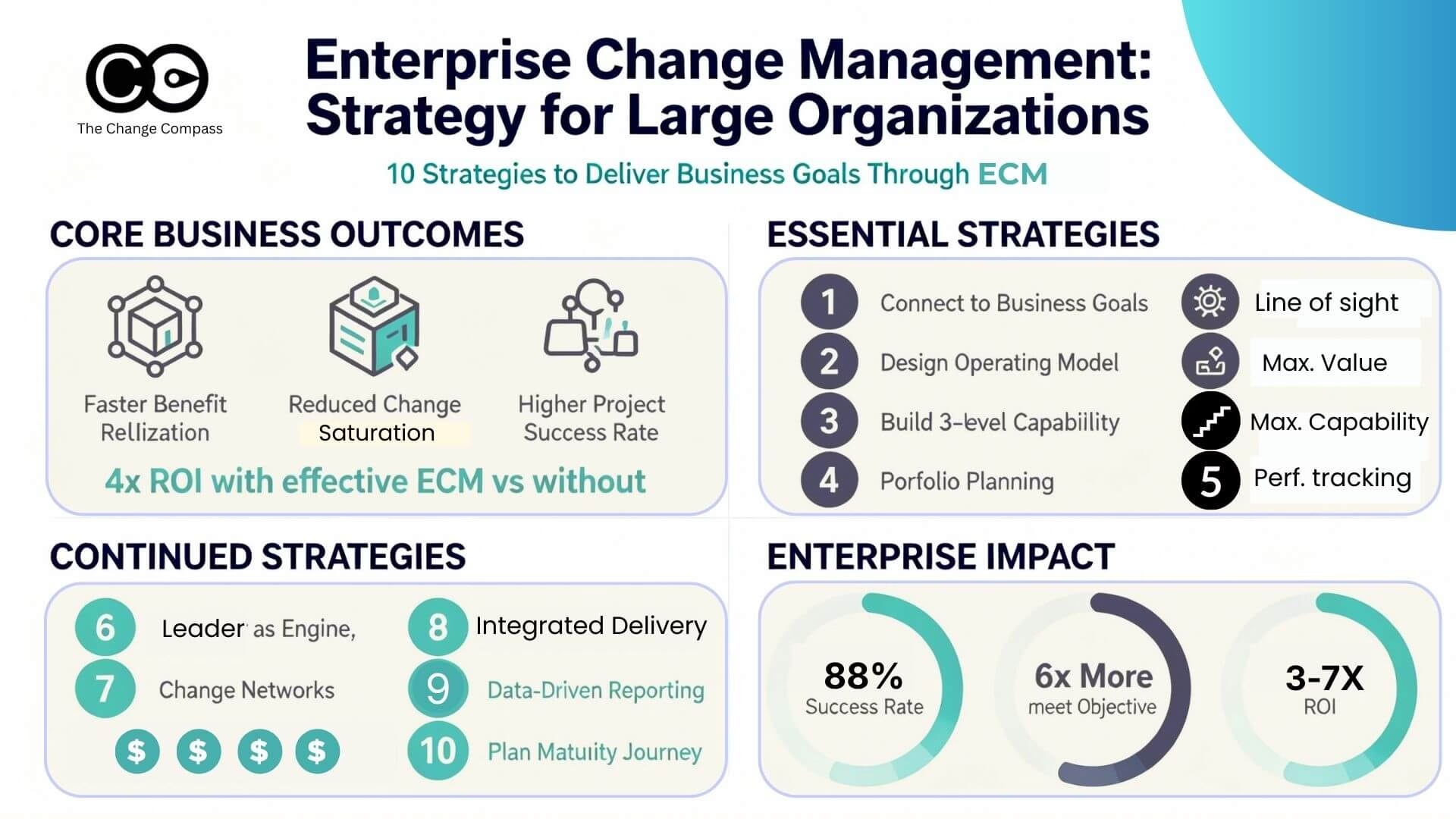
These are portfolio-level questions, and they are the reason a growing number of organisations are moving beyond spreadsheets, SharePoint sites, and slide decks to invest in purpose-built organisational change management (OCM) software. According to Prosci’s longitudinal research, 88% of participants with excellent change management met or exceeded their project objectives, and projects with excellent change management are up to seven times more likely to meet them. Yet most change teams still track their work in tools designed for something else entirely.
This guide compares six dedicated OCM software platforms available to enterprise change teams, and sets them against the tools most teams already use (spreadsheets, BI dashboards, ITSM and project portfolio software). It covers what each tool does well, where it falls short, and how to evaluate them against your organisation’s complexity. If you are responsible for managing change across a portfolio of programmes, rather than a single project, this guide is written for you. By the end you should be able to name the two or three criteria that matter for your environment, shortlist the platforms that meet them, and run an evaluation against your own data.
Organisational change management software is not IT change management
The term “change management software” covers two different categories of tool, and the label alone will not tell you which one a vendor is selling.
Confusing the two is a costly mistake, and many buyers do not draw the line until a vendor demo has already started. Searching “change management software” returns both. The people side of change is the harder half of the problem: in its October 2024 study of AI adoption, BCG found that roughly 70% of the obstacles companies reported in scaling AI were people- and process-related, with only about 10% tied to algorithms and 20% to technology. A tool that governs technical releases will not help with that 70%.
IT change management software (sometimes called IT service management or ITSM) manages technical changes to systems and infrastructure. This category includes tools like ServiceNow, Freshworks, Atlassian’s Jira Service Management, and BMC Remedy. These platforms track technical change requests, approvals, deployment schedules, and rollback procedures for IT environments. They are essential for technology teams, but they do not address the people side of change.
Organisational change management software focuses on how people experience and adopt change. It helps change practitioners assess impacts on stakeholder groups, measure readiness, plan communications and training, track adoption, and manage the cumulative load of multiple changes hitting the same parts of an organisation at once. This is the category we are comparing in this guide.
If your primary concern is managing CAB approvals and release windows, you need ITSM software. If your concern is whether frontline teams can actually absorb the changes being imposed on them, and whether your change approach is working, you need OCM software. Many enterprises run both, and the two should share a calendar of go-lives so that a technical release window does not land on a team that is already at capacity.
What to look for in organisational change management software
The capabilities below separate a platform that manages change from one that merely digitises a spreadsheet, and portfolio-level visibility is the one that matters most at enterprise scale.
Not all OCM platforms are built for the same audience or the same level of complexity. Before evaluating individual tools, it helps to establish the criteria that matter most for enterprise environments. Based on common requirements from large-scale transformation programmes, here are the capabilities that separate a useful tool from one that simply digitises a spreadsheet.
- Portfolio-level visibility across initiatives, business units and stakeholder groups
- Data-driven insights and recommendations, not just data storage
- AI capabilities that work on your own data
- Integration with enterprise systems such as ERP, HRIS and project tools
- Flexible data visualisation and sharing for different audiences
- Structured stakeholder and impact analysis that connects across initiatives
Portfolio-level visibility
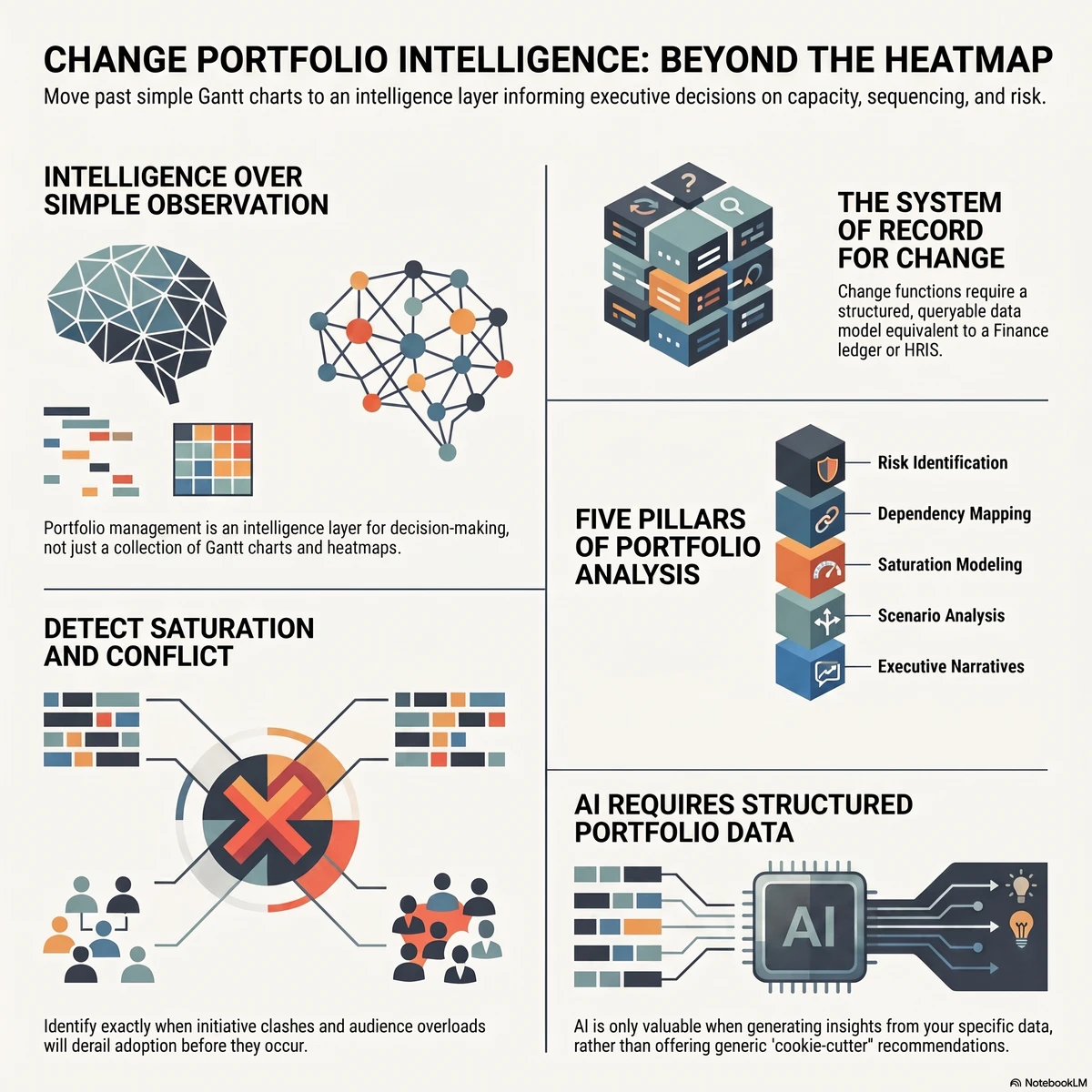
The single most important capability for enterprise change teams is the ability to see change load, impacts and readiness/adoption across multiple initiatives simultaneously. A tool that only manages one project at a time forces you back into manual aggregation, which is precisely the problem you are trying to solve. The practical test is simple: can you pick one stakeholder group, say the contact centre or the finance shared service, and see every initiative that touches it in the next six months, with the size of each impact? If answering that takes a rebuilt spreadsheet, the tool is project-level, whatever the brochure says. The cost of failing this test is change saturation, where individually sensible initiatives add up to more than a team can absorb.
Data-driven insights and recommendations
The best OCM platforms do not just store data. They analyse it. Look for tools that surface risks, flag stakeholder saturation, business risks and recommend actions based on the patterns in your data, rather than requiring you to interpret raw numbers yourself. Ask each vendor to show you an insight the tool produced unprompted, from data it did not know in advance. A recommendation engine that only works in a rehearsed demo dataset tells you little about how it will behave on your messier real one.
AI capabilities
AI is rapidly reshaping what change management software can do, and the pressure to use it is coming from the top: Gartner’s March 2026 survey of CHROs found that 78% agree workflows and roles will need to change to get the most from their AI investments. Features to look for include natural language queries (asking questions about your data in plain English), automated report generation, predictive forecasting of adoption risk, and AI-assisted creation of change artefacts like stakeholder analyses and communication plans.
It helps to separate three kinds of AI that vendors often describe in the same breath. Content assistants draft communications and summaries. Methodology advisors answer questions about frameworks. Analytical engines work on your organisation’s own change data to forecast risk and test scenarios. All three have a place, but only the third changes what a small change team can do about portfolio-level risk, so weigh vendor claims accordingly.
Integration with enterprise systems
Change does not happen in isolation from the rest of the technology landscape. Your OCM platform should integrate with enterprise resource planning (ERP) platforms, and project management tools where it makes sense to reduce duplicate data entry and keep information current. Organisational data such as reporting lines, locations and headcount is usually the first integration worth testing, because stakeholder groups that drift out of date with the HR system undermine every impact figure built on them. Ask whether integration is native, via API, or a scheduled file upload, and who maintains it.
Flexible data visualisation and sharing
Dashboards need to serve multiple audiences: from the change practitioner who needs granular detail, to the executive sponsor who needs a one-page portfolio view. Look for platforms that allow you to create custom dashboards and share them easily with stakeholders, whether via a direct URL, embedded code, or exported reports. The test here is whether an executive can open a live view without a licence or a login, and whether the practitioner can change what that view shows without raising a request with a vendor.
Stakeholder and impact analysis
At a minimum, the tool should support structured impact assessment: capturing who is affected, how they are affected, when the impact hits, and what support is planned. The more sophisticated platforms connect impacts across initiatives so you can see cumulative load on any given group. Consistency of capture matters as much as depth. If each project manager can describe impact in their own words and scales, the portfolio view will be unreliable, so look for structured fields, shared definitions of impact level and a way to standardise inputs across teams.
The alternatives you are really competing against: spreadsheets, BI and ITSM
For most enterprise change teams the real alternative to buying OCM software is the stack they already have, so it is worth being clear about what each existing tool does and where it stops.
Spreadsheets are where almost every change team starts, and for a single initiative with a small audience they are a reasonable choice. The weakness is scale and reliability: a 2024 literature review of spreadsheet quality assurance reports that earlier audits found faults in about 94% of spreadsheets in use. When ten project managers each maintain their own impact register, consolidation is manual, versions drift, and nobody can say with confidence how much change a given team faces. We cover the failure modes in more detail in why relying on Excel for change reporting is limiting.
BI tools such as Power BI or Tableau visualise data well, but they do not capture it. Someone still has to design the data model for impacts, enforce consistent inputs from every initiative, and maintain the dashboards when the business reorganises. Teams that build this internally often find the maintenance burden grows faster than the insight. A purpose-built platform ships the data model, the capture workflow and the views together.
ITSM and project portfolio tools such as ServiceNow, Jira, Smartsheet or Asana manage tasks, timelines, budgets and technical changes. They are the right home for the delivery plan, but they have no native concept of a stakeholder group’s capacity to absorb change, so they cannot tell you when a team is overloaded.
Consultant-built trackers and methodology toolkits can be effective inside a single engagement, but they tend to be tied to the consultancy’s method and often to its presence. For a broader treatment of the portfolio-level tooling landscape, see our guide to change portfolio management tools.
The six organisational change management platforms compared
The six platforms below are purpose-built for organisational change management, and they differ most in how far they go beyond project-level tracking.
The OCM software market is still maturing, and the tools available vary significantly in depth, target audience, and approach. Below is a detailed comparison of six platforms purpose-built for organisational change management. The assessments reflect each vendor’s published materials and our own product knowledge at the time of writing, and capabilities change quickly, so confirm the current position in a live demonstration before shortlisting. The Change Compass is our own product, so we have described it on the same criteria as the others and stated where each tool fits best.
The Change Compass
The Change Compass is an enterprise platform designed specifically for organisations managing complex, portfolio-level change. It is built around AI embedded across its core workflows, from impact analysis and stakeholder assessment through to predictive analytics and automated reporting.
Key strengths include its portfolio-level analytics engine, which aggregates change data across all initiatives to visualise cumulative impact on stakeholder groups. Its AI capabilities go beyond surface-level features: practitioners can query their data in natural language, run “what if” scenario planning to model the effect of rescheduling an initiative, and generate business-ready artefacts like communication plans and stakeholder analyses automatically. The platform draws on benchmark data from its client base to make recommendations about what leads to the best change outcomes and how best to capture change data, a capability we have not seen offered by the other tools in this comparison.
Data visualisation is another differentiator. Change Compass allows teams to build custom dashboards and share them with stakeholders via direct URL or embedded code, making it straightforward to give executives a live view of change load without requiring them to log into the platform. There are various charts and dashboard templates that can easily be reused and modified with a few simple clicks, and more than 40 chart types are available. Integration capabilities span ERP, HRIS, Microsoft, Google and other systems, supporting enterprise environments where change data needs to flow across multiple platforms.
The Change Automator module is also a value differentiator as it provides project and programme level data capture, data analysis, planning and reporting through AI and automation. Significant time savings can be achieved through end-to-end data capture and insights for all types of change artefacts, including complexity assessment, communications plans and stakeholder analysis.
The Change Compass is best suited for large organisations and multinationals with multiple concurrent change programmes, particularly in financial services, government, energy, and retail. It is designed for change teams that need to manage the cumulative impact of change at a portfolio or enterprise level, rather than tracking individual projects in isolation. Teams with only a handful of simple projects may find a lighter tool is enough.
ChangePlan
ChangePlan provides a structured workspace for planning and managing change projects. It includes features for impact assessment, stakeholder mapping, communications planning, and readiness tracking. The platform generates reports and, according to its published materials, offers portfolio views and shared stakeholder and organisational data across initiatives, including connections to HR systems, for organisations managing multiple initiatives.
ChangePlan works well for teams that need a clean, template-driven approach to change planning. Its strength lies in providing a structured workflow that guides practitioners through the core activities of a change project, from impact capture through to communications and training plans. It also offers stakeholder saturation views across initiatives and automated short pulse checks, which are quick to run but are not a substitute for fuller surveys when you need deeper insight. More recent additions include AI that drafts initiative briefs and one-pagers from existing business documents.
Where ChangePlan shows its limitations is in more complex enterprise environments, in our assessment. Its reporting and visualisation capabilities lean on pre-configured report and data-table formats, which can constrain teams that need to create bespoke dashboards tailored to different stakeholder audiences. There is also significant manual work required to populate data from scratch, and the platform is positioned more as a planning workspace for change managers working on specific projects than as an analytical engine that surfaces portfolio insights on its own. For organisations with lower complexity, such as those managing a handful of change projects with well-defined boundaries, it offers a solid, accessible entry point into dedicated OCM software.
ChangeSync
ChangeSync is a cloud-based OCM platform focused on digitising core change activities including impact analysis, stakeholder management, and adoption tracking. The platform positions itself as a tool for enterprise transformation, and its published client examples include large enterprises across utilities, manufacturing, healthcare and government. ChangeSync also sits inside a wider offering of consulting and leadership certification, so some buyers will be purchasing a relationship as well as software.
ChangeSync’s core offering centres on a digitised change impact process, with interactive stakeholder analysis and reporting tools. It offers sentiment tracking through colour-coded, AI-driven markers to gauge how employees feel about changes. The vendor states that it is SOC 2 Type II compliant, which may be an important consideration for organisations with strict data security requirements.
The platform’s primary limitation, in our assessment, is that its data visualisation is largely fixed, chart-based output rather than the flexible, interactive dashboards that enterprise teams typically need when presenting to diverse stakeholder groups. Its materials describe portfolio management and impact analysis, but it is primarily used as a project-level tool, and buyers who need deep cross-initiative aggregation should test that capability with their own data.
Prosci tools
Prosci is the most recognised name in change management, largely because of its ADKAR methodology and extensive training certification programme. Its software offerings include the Proxima platform and the Kaiya AI assistant, delivered as part of its membership tiers.
Proxima provides a structured workspace aligned to the Prosci methodology, guiding practitioners through the ADKAR model and the Prosci 3-Phase Process. For organisations that have standardised on the Prosci methodology and have certified practitioners across the business, this alignment is a genuine advantage, as the tool reinforces the methodology framework your people are already trained on.
Kaiya, Prosci’s AI tool, provides on-demand, coaching-style guidance and answers drawn from Prosci’s knowledge base, so it functions as a methodology advisor rather than an analytical engine that processes your organisation’s own data. Its value over a general-purpose AI assistant is the grounding in Prosci’s own research and content, and buyers should decide how much that matters to them.
The limitation of Prosci’s toolset is that it is tightly coupled to the Prosci methodology. Organisations that use a blended approach or a different framework may find the rigid structure constraining. Additionally, the tools are stronger on individual project management than on portfolio-level analytics. If your primary need is to understand cumulative change load across a portfolio of twenty initiatives, Prosci’s tools are not built for that use case.
OCM Solution
OCM Solution offers an all-in-one change management toolkit through its OCMS Portal. The platform includes modules for impact and readiness assessment, communications planning, stakeholder analysis, resistance management, KPI tracking and leadership reporting. It references multiple change management frameworks, including Prosci ADKAR, making it flexible for teams that are not locked into a single methodology.
OCM Solution’s strength is accessibility. The platform is positioned as simple to adopt, with a broad base of users across many countries and a library of downloadable templates and checklists alongside the software. It has also offered AI-assisted tools for communications drafting and analysis, though buyers should check the current scope, and weigh whether drafting help adds much beyond what a general-purpose AI assistant already provides.
Where OCM Solution falls short for enterprise buyers is in the depth of its analytics and visualisation. The platform relies heavily on basic reports and template-based outputs, which work well for low-complexity, individual projects with straightforward stakeholder landscapes. For organisations managing complex, overlapping transformation programmes where the real challenge is understanding the interactions between initiatives, the platform’s reporting may feel too basic and constrained. It is best suited for smaller teams or less complex change environments where a structured, template-driven approach is sufficient.
ChangeScout (Deloitte)
ChangeScout is Deloitte’s proprietary change management software, built on the Salesforce platform. It combines Deloitte’s change management methodology with analytics, automation, and stakeholder visualisation capabilities, and includes preconfigured solution sets, initially for SAP S/4HANA implementations.
ChangeScout’s Salesforce foundation gives it enterprise-grade security and scalability, and Deloitte describes it as AI- and insights-driven, supporting risk management, progress tracking, and stakeholder insights. The platform consolidates change data into a single data model, provides dashboards that track impact across audiences and deployment phases, and includes an impact library of typical changes for faster planning. Public detail on how the AI features work is limited, so ask for specifics in a demonstration.
However, ChangeScout comes with constraints for most buyers. It is delivered primarily through Deloitte consulting engagements, which means access is typically tied to an active Deloitte relationship. Setup involves substantial data entry and ongoing maintenance, and the tool is oriented toward project and programme-level change rather than enterprise-wide portfolio analytics. For organisations that are not already Deloitte clients or do not have Salesforce in their technology stack, ChangeScout is unlikely to be a practical option.
Feature comparison table
The table summarises the core capabilities of each platform across the criteria that matter most for enterprise change teams, based on vendor materials and our assessment; confirm each cell in a live demonstration.
| Feature | The Change Compass | ChangePlan | ChangeSync | Prosci Tools | OCM Solution | ChangeScout |
|---|---|---|---|---|---|---|
| Portfolio-level analytics | Yes, native | Portfolio view (vendor-stated) | Portfolio management (vendor-stated), mainly project-level use | No | No | Cross-deployment visibility, project and programme focus |
| AI-powered insights | Embedded throughout | AI-drafted briefs and decks | Sentiment markers, AI transformation guidance | Kaiya advisor | Drafting tools (check current scope) | AI and insights described, limited detail |
| Natural language data queries | Yes | No | No | Kaiya (methodology Q&A) | No | No |
| Predictive analytics | Yes | No | No | No | No | No |
| Custom dashboards | Highly flexible | Fixed template-based | Fixed charts | Fixed template-based | Fixed template-based | Salesforce dashboards |
| Stakeholder sharing (URL/embed) | Yes, URL and embed code | Report exports | Reporting tools | No | Reports | Salesforce sharing |
| Integration (ERP, HRIS, CRM) | Yes, broad integration | HR system connections | Limited | Limited | Limited | Salesforce native |
| Benchmark data | Yes | No | No | Prosci research | No | No |
| “What if” scenario planning | Yes | No | No | No | No | No |
| Methodology flexibility | Methodology-agnostic | Methodology-agnostic | Methodology-agnostic | Prosci/ADKAR only | Multi-methodology | Deloitte methodology |
| Target complexity | Enterprise/complex | Low to mid complexity | Low to mid complexity | Project-level | Simple to mid projects | Project and programme-level |
| Availability | Open market | Open market | Open market | Open market (membership) | Open market | Typically via Deloitte engagements |
Comparison by use case: which tool fits your organisation
The right tool depends less on which platform has the longest feature list and more on the kind of change environment you are managing, and four situations cover most buyers.
Here is a practical way to think about the fit.
You are managing a large transformation portfolio
If your organisation runs 15 or more concurrent change programmes across multiple business units (excluding BAU initiatives), your core challenge is understanding the cumulative impact on overlapping stakeholder groups. You need portfolio-level analytics, predictive modelling, and the ability to share live dashboards with executives who will never log into your tool. The Change Compass is built specifically for this use case, and it is the one we would put at the top of a shortlist for portfolios of this size. At this scale the cost of a missed collision between initiatives is far larger than the cost of the tool.
You are a mid-sized team managing a few change projects
If you have two to five active change projects with relatively distinct stakeholder groups, your priority is likely a structured workflow that keeps practitioners consistent without overwhelming them. ChangePlan or OCM Solution are both solid choices here, offering template-driven approaches that get teams productive quickly. If you also need sentiment tracking and security attestations, ChangeSync belongs on the list.
Your organisation is standardised on Prosci
If your entire change capability is built around Prosci certifications and the ADKAR model, and your needs are primarily at the project execution level, then the Prosci toolset reinforces that methodology and keeps practitioners in a familiar framework. Be aware, though, that you are trading portfolio-level capability for methodology alignment. Some organisations pair the Prosci method with a portfolio platform, using ADKAR for the individual project and a separate tool for cross-initiative load.
You are a Deloitte consulting client
If you are already engaged with Deloitte and have Salesforce in your technology stack, ChangeScout integrates with that ecosystem. For everyone else, the access barrier makes it impractical.
Why dedicated organisational change management software matters now
Three forces have strengthened the case for dedicated OCM software over the last two years: rising change volume, the arrival of AI, and a maturing software market.
First, change volumes are accelerating, and responsiveness is what separates the organisations that cope. A July 2025 Gartner survey of 313 senior respondents, reported in its March 2026 press release on change management trends, found that organisations that continuously adapt change plans based on employee responses are four times more likely to achieve change success. You cannot continuously adapt what you cannot see, and most organisations still lack real-time visibility into how change is landing across their workforce.
Second, AI is creating a new category of capability. McKinsey’s research on digital transformation, published in 2015 and still a useful framing, argued that applying digital tools to internal change management, rather than just customer-facing processes, can make change more meaningful and durable for the people experiencing it. The platforms that embed AI into their analytical workflows (rather than bolting on a chatbot) are fundamentally changing what a change team can do with limited headcount.
Third, the broader change management software market is projected by Research Nester to grow at a compound annual growth rate of nearly 10% through 2035, with the SaaS segment commanding over 75% of the market. Market definitions vary between analysts and some include IT service management vendors, so treat the figure as directional. The signal is still clear: this is not a niche category any more. It is becoming standard infrastructure for organisations serious about managing the people side of transformation. If you need to justify the investment internally, our guide to building a business case for change management software sets out an ROI framework.
How to choose the right platform for your organisation
Selecting OCM software is not primarily a feature comparison exercise. It is a fit exercise, and five steps make the decision defensible.
Here is a practical framework for making the decision. Our wider guide to selecting change management software goes deeper on each step.
- Map your complexity level. Count the number of concurrent change initiatives, the number of overlapping stakeholder groups, and whether you need portfolio-level or project-level views. This single factor will eliminate half the options.
- Audit your current pain points. Where does your team lose the most time? If it is aggregating data from multiple spreadsheets into a leadership report, you need strong visualisation and sharing. If it is impact assessment, focus on the depth of impact capture and analysis.
- Assess your integration needs. If your organisation uses an ERP, or project management platform that holds stakeholder or organisational data, check which OCM tools can pull from those systems. Manual re-keying of data is a hidden cost that erodes adoption.
- Test with a real scenario. Ask each vendor for a hands-on evaluation or a structured demonstration using your actual data and your actual stakeholder landscape, not a hypothetical example. The difference between platforms becomes obvious when you try to answer a real question like “which teams are carrying the heaviest change load in Q3?”
- Consider where AI adds value. Not all AI features are equally useful. A chatbot that answers methodology questions is different from an analytical engine with the right data structure that processes your data and surfaces risks you did not know to look for across initiatives. Be specific about which type of AI assistance will actually save your team time and help you become more strategic.
Two further checks are worth making before you sign. Confirm who owns the data and how it can be exported if you change vendors, and check the security attestations the vendor can show you, such as SOC 2 or ISO 27001, against your own procurement requirements. Then involve the people who will use the tool every day, not only the sponsor: adoption of the software itself is a change management problem, and a platform your practitioners do not use delivers none of its promise.
Digital tools and the next step
Software does not replace change expertise, but it changes how far one team’s expertise can reach. Change Compass was built for the portfolio-level problem described above, bringing impact data, change load, readiness and AI-assisted analysis into one place so that practitioners spend their time advising leaders rather than consolidating spreadsheets. If you want to see how that looks with your own initiatives, the team can walk you through it.
See the platform itself
See how The Change Compass organisational change management software works in practice, including the AI change intelligence layer that goes beyond traditional change tracking.
Choosing for the portfolio you have
The most common mistake in this market is buying for the project you are running today rather than the portfolio you will be managing in eighteen months. A tool that is comfortable for three initiatives can become the bottleneck at fifteen, and migrating impact history between platforms is slow and lossy. Start from the questions your leaders actually ask: where is change landing hardest, which groups are close to saturation, and what happens if we move this go-live. Choose the platform that can answer those questions on your own data, and treat the shortlist in this guide as the starting point for that evaluation rather than the verdict.
Frequently asked questions
What is organisational change management software? Organisational change management software is a category of tools designed to help practitioners manage the people side of change. These platforms support activities like impact assessment, stakeholder analysis, communications planning, readiness tracking, and adoption measurement. They are distinct from IT change management tools, which manage technical changes to systems and infrastructure.
How is organisational change management software different from project management tools? Project management tools like MS Project, Asana, or Monday.com manage tasks, timelines, and deliverables. OCM software manages the human dimension of change: who is impacted, how ready they are, what support they need, and whether adoption is actually occurring. Some organisations use both in parallel, with the project management tool tracking the delivery plan and the OCM tool tracking the people plan.
Do I need dedicated OCM software or can I use spreadsheets? For a single change project with a small stakeholder group, a well-structured spreadsheet can work. The challenge emerges when you scale: multiple projects, overlapping impacts, dynamic timelines, and executives who need a real-time view. At that point, manual aggregation becomes unsustainable, and the risk of missing a critical stakeholder saturation issue increases significantly. Most organisations reach this tipping point when managing more than three to five concurrent change initiatives.
Which organisational change management software is best for enterprise environments? For complex enterprise environments with multiple overlapping programmes, The Change Compass is built for portfolio-level change management, with embedded AI, predictive analytics, cross-client benchmarking, and flexible dashboard sharing. Other platforms like ChangePlan, ChangeSync and OCM Solution work well for less complex environments with fewer concurrent initiatives, and Prosci’s tools suit organisations standardised on ADKAR.
Can organisational change management software integrate with other enterprise systems? Integration capability varies significantly across platforms. The Change Compass offers broad integration with ERP, HRIS, CRM, and ITSM platforms. ChangeScout integrates natively with Salesforce, and ChangePlan describes HR system connections. Other platforms offer more limited integration options, which may require manual data synchronisation.
References
- Prosci: Change Management Success, longitudinal research on change management effectiveness and project outcomes.
- Gartner: Gartner Identifies the Top Change Management Trends for CHROs in the Age of AI (16 March 2026), research on adaptive change planning and AI-driven role change.
- BCG: AI Adoption in 2024: 74% of Companies Struggle to Achieve and Scale Value (October 2024), research on people and process obstacles to scaling AI.
- Poon, Lau, Yu and Tang: Spreadsheet quality assurance, a literature review (Frontiers of Computer Science, 2024), review of spreadsheet fault rates.
- McKinsey: Changing Change Management (2015), analysis of digital tools applied to internal change processes.
- Research Nester: Change Management Software Market Size and Growth Forecast to 2035, market analysis and growth projections.
- The Change Compass: Change Management Software in the Age of AI, analysis of AI capabilities in change management software.
- Deloitte: ChangeScout, overview of Deloitte’s change management software platform.
- Vendor materials reviewed: ChangePlan, ChangeSync, Prosci tools and resources, OCM Solution.